



Visual freezer maps
Know the exact location.
Twenty minutes in the cold room, fingers going numb, pulling box after frosted box for one tube someone swore was "top-left somewhere." See your whole inventory laid out exactly how it sits in real life, and click straight to it instead.
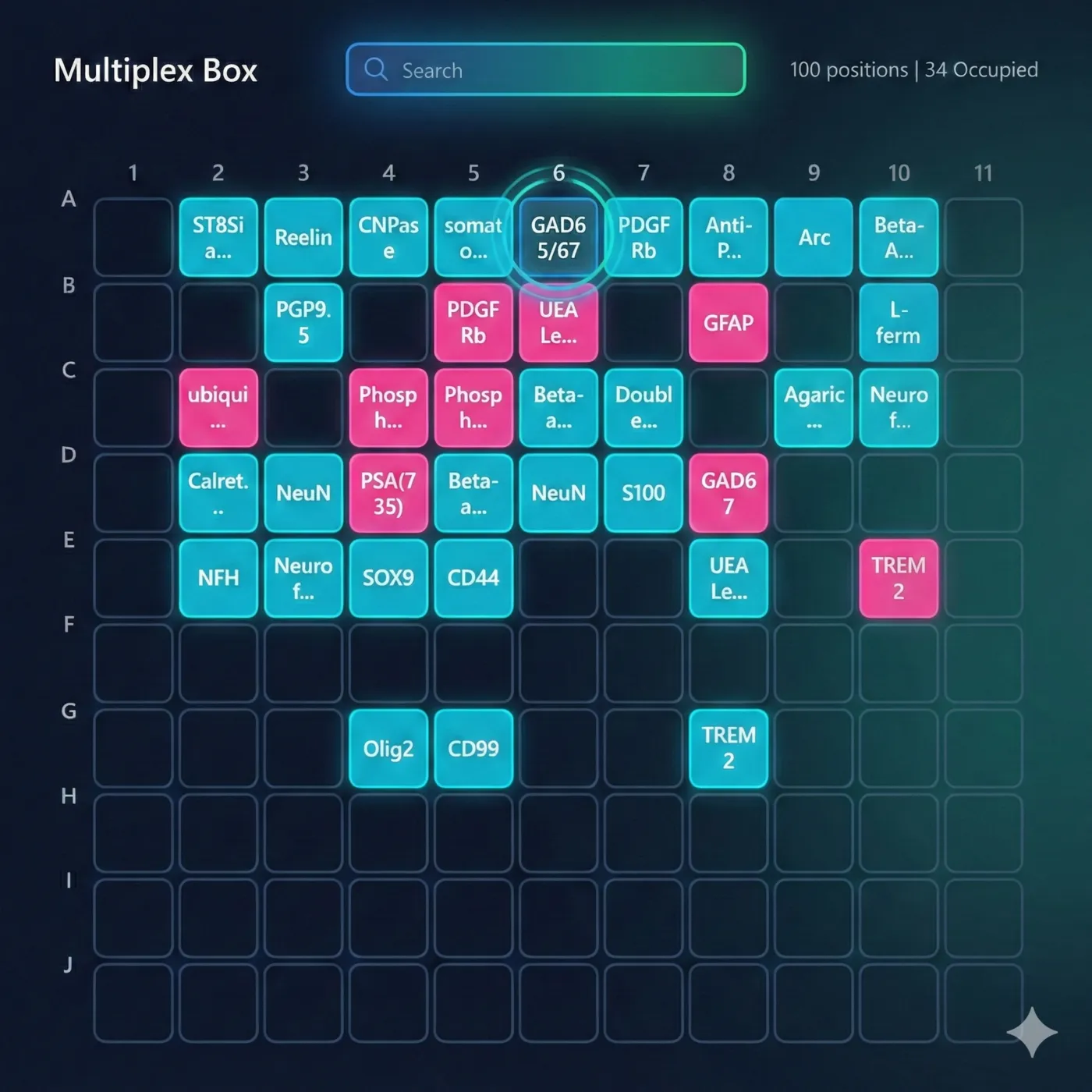
Colors that mean something.
Stocks, aliquots, tubes with notes. Each has its own color. You learn it in 30 seconds.
Stock
Your original tubes. The ones you need to protect.
Aliquot
Tubes you've made from stocks for daily use.
Has Comment
Has a note attached. Maybe "low volume" or "avoid."
Empty
Open spots ready for new tubes.
What you can do.
Click, drag, search. Everything happens visually.
Search
Type "CD4" and matching cells light up. Everything else fades.
Move Tubes
Click a tube, click where you want it. Done.
Create Aliquots
Click a stock, then click each destination. We create them all.
Export
Copy to clipboard, download PNG, or send to OneNote.
What you get.
See a Whole Box at Once
96 tubes. One screen. No scrolling through spreadsheet rows.
Matches Your Mental Map
You know it's "top left somewhere." Now you can actually see that.
Spot Things You Forgot
Browsing visually jogs your memory. "Oh, we have anti-CD8 too?"
Click Instead of Type
Moving tubes? Click them. No typing coordinates into cells.
Mistakes Are Obvious
When you see the layout, you notice if something's in the wrong spot.
Custom Labels
Lab admins can create custom color labels for your workflow.
Picture your next trip to the freezer.
You type "CD4." The matching position lights up, and you head to the freezer already knowing the shelf, the box, and the slot. The tube is out and back before anything else thaws. The new student finds it themselves instead of coming to ask you. What used to be a twenty-minute dig is a ten-second glance before you've even stood up.
Stop digging through frost-covered boxes.
That mental map of your freezer? Put it on screen where everyone can use it.
Storage maps are built on your antibody registry.